See where your AI spend goes.
A new dashboard for AI spend, team budgets, and the devices behind the work.
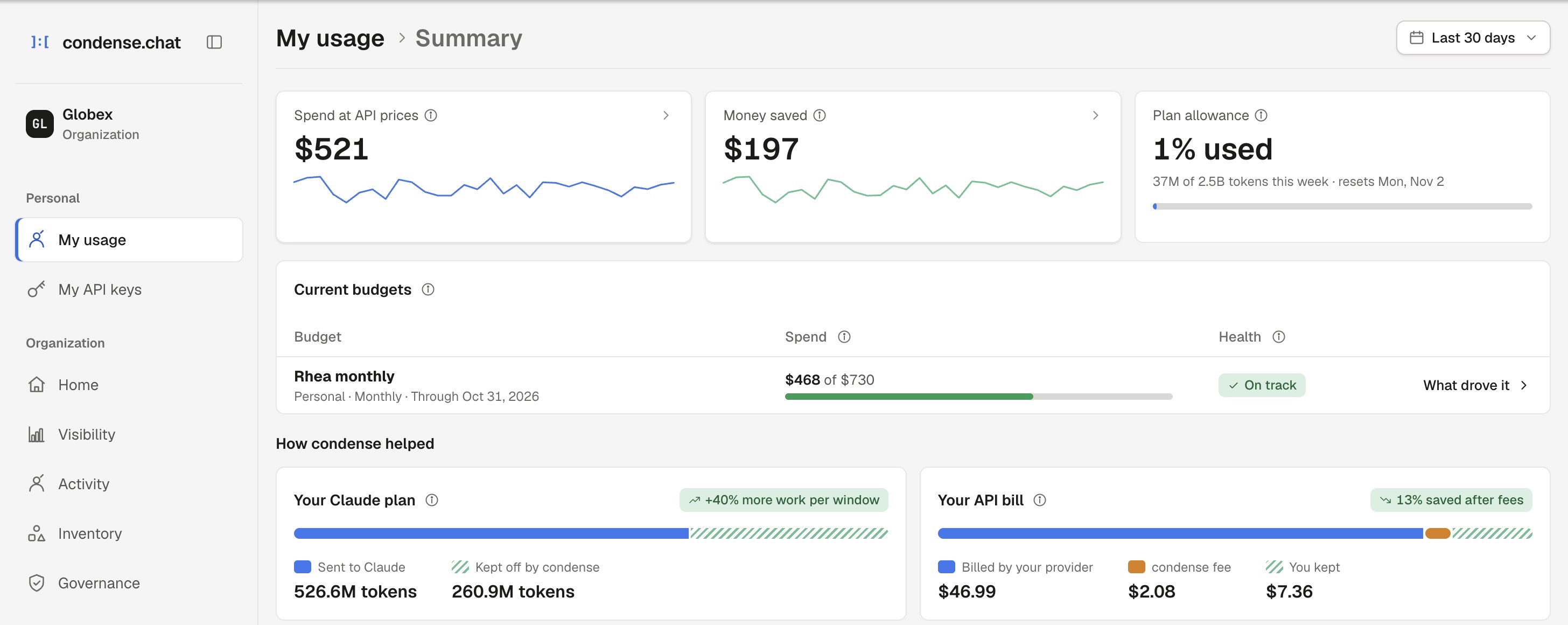
When the AI bill changes, you need to know why.
The latest condense release connects the overview to the work behind it. Follow spend to a team, model or session. Give people a budget they can work within. See which devices are running condense, and manage them in one place.
From the bill to the work behind it.
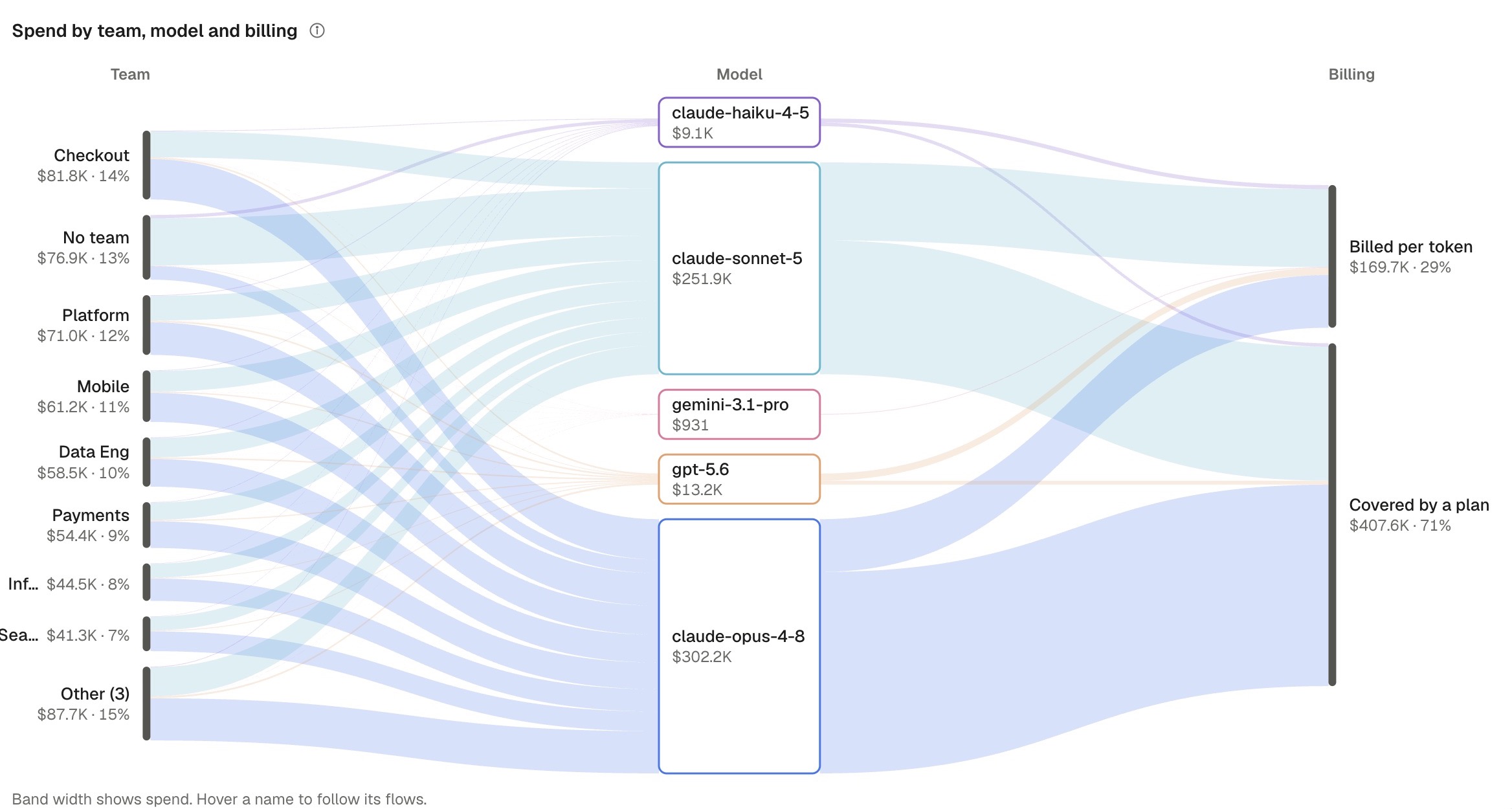
Which team drove the increase? Which model? Which project? Break usage down by person, model, project or use case, then open the sessions behind it.
The Flow view connects those costs. My usage brings your own spend, cost drivers and savings together, with spend alerts and CSV exports when you need them.
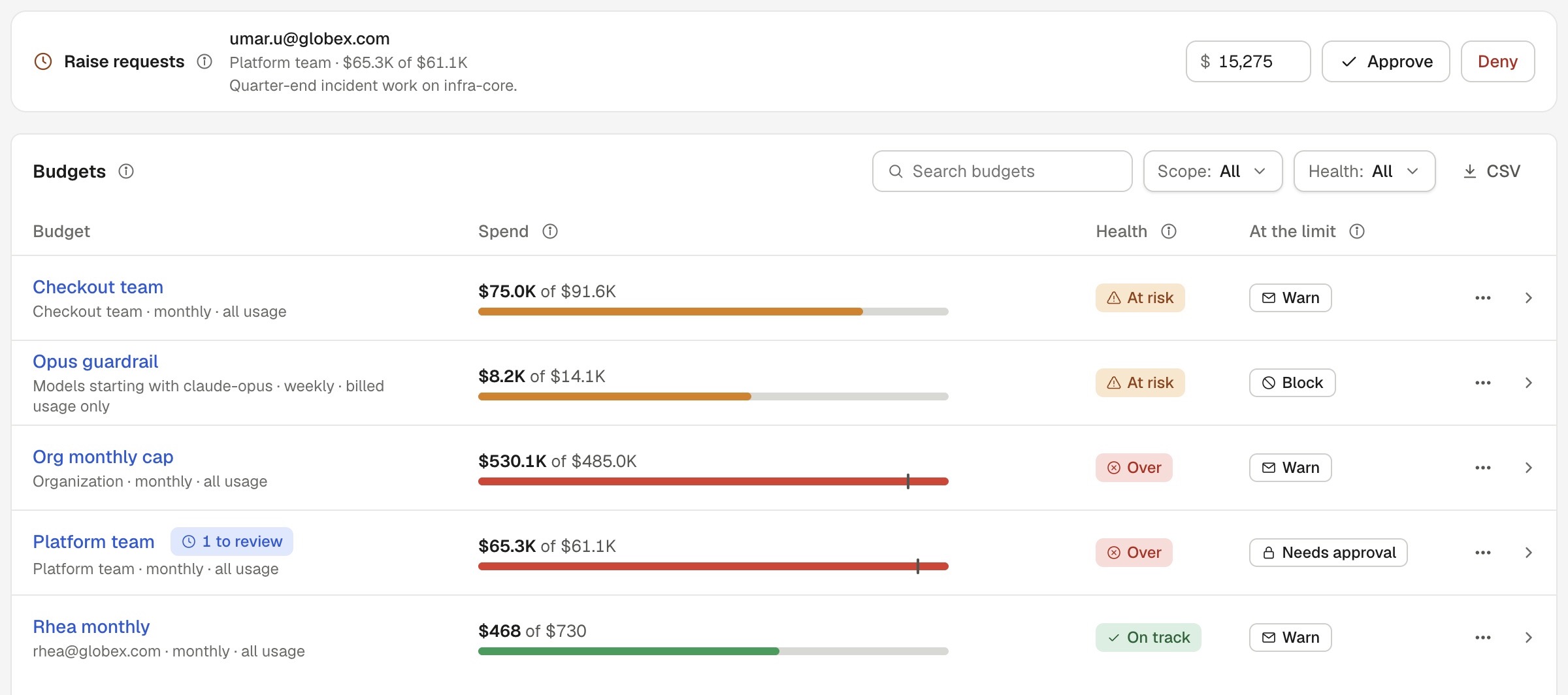
Give teams room. Keep spend in view.
Set provider-spend budgets for the organization, a team, a member or a model. See which limits need attention, and let members request more before they run out.
Monthly chargeback allocates spend to teams and cost centers. The organization limit is also visible on Home, with a direct link to Spend.
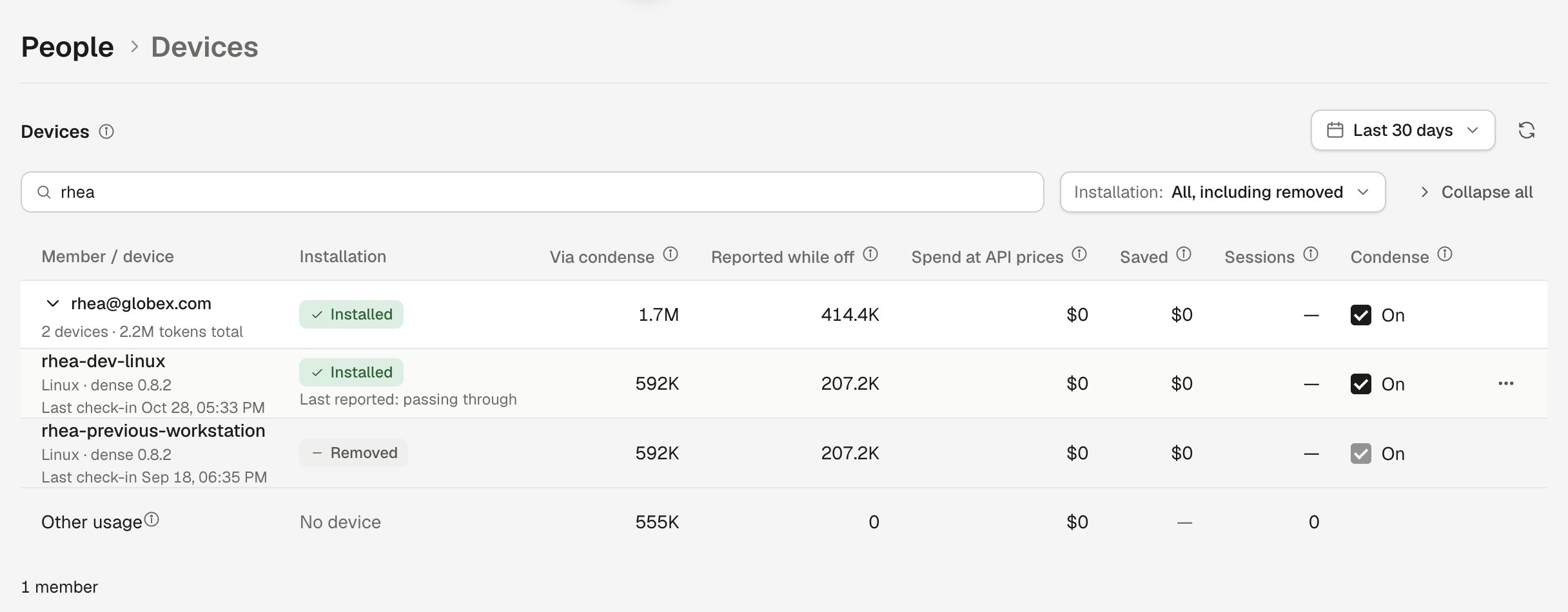
See the devices. Manage condense.
See installation status, usage, spend at API prices, savings and sessions in the Devices tab. Device filters carry through to analytics, sessions and inventory.
Switch condense on or off for a member or a device, or remove a device. Changes take effect at the next check-in and are recorded in the organization audit log.
The details behind the rollout.
Controls for your API
Attribute API traffic to tenants, users, features and environments. Give service keys their own rate limits and spend caps, and send budget events to your systems through webhooks. Device controls are also available through the organization API.
Clear accounting. Defined retention.
Usage reported while condense is off is estimated at list prices and kept separate from budgets and chargeback.
Under zero data retention, an opaque device ID is kept for usage attribution. Session IDs, end-user attribution, tags and tool names are still dropped.
Available now
See the dashboard.
Plan your rollout.
Walk through spend visibility, team budgets and device controls with the condense team.
Book a callDevice management is part of Enterprise.